

Microsoft Publisher has gone: how small businesses save their .pub files
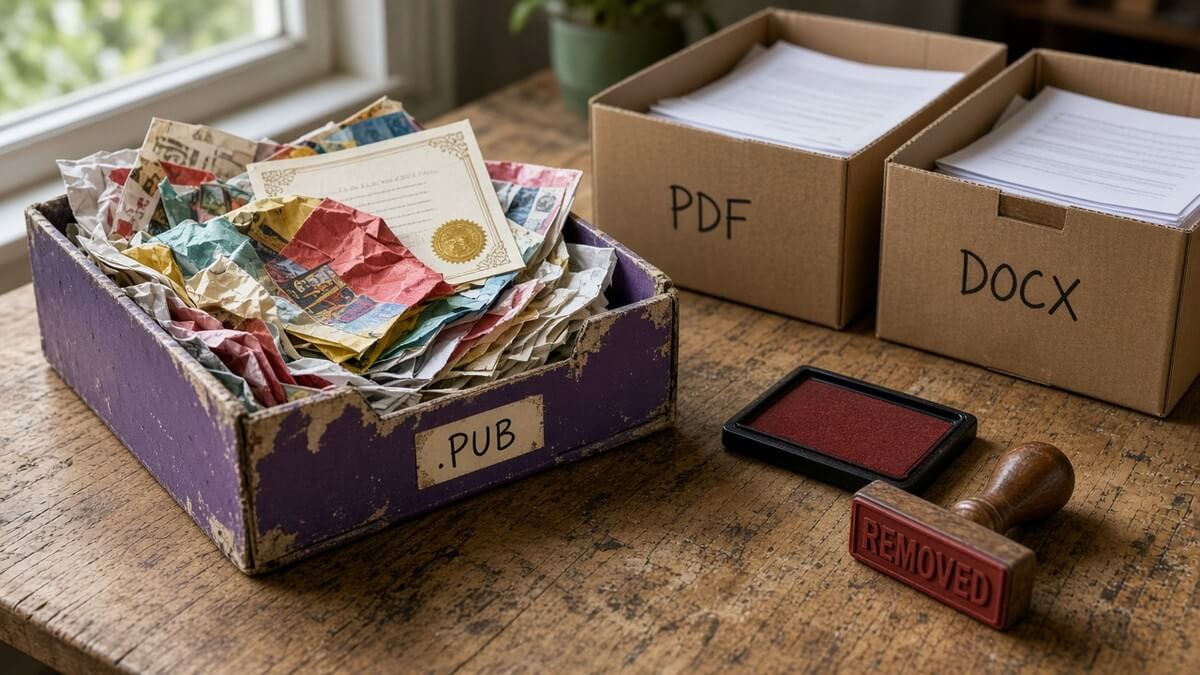
Somewhere in your company there’s a folder of menus, price lists, newsletters or certificates still saved as .pub files. Staff open them for a reprint. Nobody has thought about the app that created them for years.
Microsoft Publisher has reached end of life. For Microsoft 365 subscribers it has already left the suite, and from mid-November 2026 Office updates start removing it from PCs. Find the files, decide what you still need, convert them, and stop relying on an app that will not be there next time someone double-clicks one.
What has actually changed
Microsoft’s support page is clear. In October 2026, Publisher reached end of life. It is no longer included in Microsoft 365, and on-premises suites that shipped with it are no longer supported (Microsoft Support).
The dates that matter:
- 1 October 2026: you could keep using Publisher until this date. Microsoft 365 subscribers lose access on or shortly after 1 October as the removal update rolls out.
- 13 October 2026: support for the perpetual version ends, when Office LTSC 2021 and Consumer Office 2021 reach end of support (Publisher 2021 lifecycle).
- Mid-November 2026: Current Channel PCs start getting the removal update (Version 2611).
- Early December 2026: Monthly Enterprise Channel PCs start getting it.
On Microsoft 365, Publisher is being removed. You will not open or edit .pub files in Publisher once your PC gets the update, and you cannot install it after October 2026. On perpetual Office 2021 or Office LTSC 2021, the app can still run after support ends, but it no longer receives security updates. That is not a long-term plan.
Why you might still see Publisher on your PC
If Publisher still opens on a Microsoft 365 PC in late October or early November 2026, that can feel reassuring. It should not.
Microsoft’s Message Center update MC1469564 (updated 21 October 2026) says removal reaches each device through regular Office updates, starting with Version 2611 (Build 16.0.20625.xxxxx). Current Channel gets it from mid-November 2026; Monthly Enterprise Channel from early December 2026. Any access that remains after 1 October until that channel update arrives is not an extension and does not mean Publisher is still supported. Treat it as a temporary window to open and convert the files you still need (MC1469564 archive; also on Microsoft Support).
If one laptop still has Publisher and another’s does not, check which update channel each machine is on. The gap is the update schedule, not a stay of execution.
Step 1: find your .pub files
Microsoft’s advice is simple and it works: search for .pub on each PC, on OneDrive and on SharePoint (Microsoft Support).
Do not stop at the shared drive everyone knows about. Ask each team what they still reprint from Publisher. Marketing often owns the brand templates. Reception keeps visitor badges and room signs. Accounts sometimes still have invoice layouts from a decade ago. A science-park lab might have certificate templates in a shared folder nobody has opened since the last open day. The files that hurt are the ones nobody remembers until the morning of an event.
Make a short list: path, who owns it, and whether you still need to edit it or only view and print it. That split drives the next step.
Step 2: keep-to-view versus keep-to-edit
Microsoft recommends converting before 1 October 2026. After that date Microsoft 365 users cannot open or edit those files in Publisher (Microsoft Support). If you still have a temporary window on some PCs, use it.
Keep-to-view or print: save as PDF. In Publisher: File > Save As, choose PDF. The layout is locked for viewing and printing. Fine for menus, certificates, posters and anything that does not change every week.
Keep-to-edit: Microsoft’s documented path is convert the Publisher file to PDF, then open that PDF in Word (File > Open). Word will ask to convert it. The result is optimised for text editing, and Microsoft warns that the layout may vary from the original PDF, particularly if the document has many graphics. Third-party converters exist; Microsoft does not support them.
For work you will redesign anyway, rebuild once in Word or PowerPoint from a PDF proof.
Step 3: convert in bulk if you have lots
A handful of files is a rainy-afternoon job. A SharePoint library full of .pub newsletters needs a script.
Microsoft publishes an example PowerShell script, Convert-PubFileToPDF.ps1, as a guide for bulk exporting Publisher files to PDF (Microsoft Support). You need a working, licensed copy of Publisher on the machine that runs it. Their examples cover a single file, all .pub files in a folder, and recursive conversion through subfolders. The script keeps going if one file fails and reports which converted and which did not. If a PDF with the same name already exists, it skips that file.
Get IT to run it on a spare PC that still has Publisher, against a copy of the folder first. Do not point it at the only copy of your marketing archive without a test pass.
What to use instead
You do not need a Publisher clone for most small-business jobs. Microsoft’s replacement table maps common scenarios to apps you already have (Microsoft Support):
- Ads, flyers, brochures, certificates, business cards, calendars, cards: Word or PowerPoint
- Banners, signs, posters: PowerPoint
- Invoices, forms, envelopes, labels, letterhead, newsletters, programmes and folded paper projects: Word
Microsoft Create has customisable templates for the same kinds of work. Start there when you rebuild something rather than converting it pixel-for-pixel.
If you need a free desktop option for older Publisher files, LibreOffice Draw can import Microsoft Publisher 98-2010 .pub files, according to The Document Foundation’s Getting Started Guide for LibreOffice 26.2 (LibreOffice Getting Started Guide 26.2). That covers those older formats, not every later .pub file. Test a sample first. Draw does not export back to .pub; save as OpenDocument Drawing or export to PDF.
Perpetual Office 2021: still runs, still unsupported
If you bought Office 2021 or Office LTSC 2021 outright, Publisher can still install and run after October 2026. Support ended on 13 October 2026 with those suites, so you get no further security updates (Microsoft Support; Publisher 2021 lifecycle).
Convert the files you care about now, rebuild recurring templates in Word or PowerPoint, and plan the jump to a supported Microsoft 365 setup.
(The same theme shows up when Windows 10 leaves mainstream support; see Windows 10 Extended Security Updates for small businesses if you still have Windows 10 PCs in the mix.)
How Cambition can help
If you would rather not spend a week hunting .pub files across every laptop and SharePoint site, we can find them, sort keep-to-view from keep-to-edit, run a controlled bulk convert while Publisher is still on the right machines, and check which PCs are on which update channel so you know when the removal lands.
That sits inside everyday managed IT for small and medium-sized businesses, including our managed IT SME packages. Same kind of deadline work as cleaning up SMTP AUTH Basic authentication before Microsoft’s December 2026 default change, or tightening Microsoft 365 guest access.
Book a fit call on 01223 656 156, email ambitious@cambition.co.uk, or use cambition.co.uk/contact/. Bring one awkward .pub file if you like. We will tell you straight whether it is a quick convert or a rebuild.
Frequently asked questions
Can I still use Publisher if it’s still on my PC?
On Microsoft 365, only until your update channel delivers Version 2611. Remaining access after 1 October 2026 is not an extension. Convert what you need first. On perpetual Office 2021, the app can still run, but it is unsupported after 13 October 2026.
Will my .pub files be deleted?
No. The files stay where they are. What goes away for Microsoft 365 users is the ability to open and edit them in Publisher. Convert them while you still can.
What’s the best replacement for Publisher in Microsoft 365?
For most small-business jobs, Word or PowerPoint, plus templates from Microsoft Create. Rebuild recurring templates there rather than hunting for a Publisher clone.
I bought Office 2021 outright. Does this affect me?
Yes, but differently. Support ended on 13 October 2026 with Office 2021 / Office LTSC 2021. You can still install and use Publisher, with no further security updates. Convert important files and plan a move to a supported setup.
How do I convert lots of Publisher files at once?
Use Microsoft’s example PowerShell script, Convert-PubFileToPDF.ps1, on a PC that still has a licensed copy of Publisher. Test on a copy of the folder first, then run it recursively if you need to. Get IT involved if the files live across many machines or SharePoint libraries.
Microsoft Publisher has gone: how small businesses save their .pub files
Somewhere in your company there’s a folder of menus, price lists, newsletters or certificates still saved as .pub files. Staff open them for a reprint. Nobody has thought about the app that created them for years.
Microsoft Publisher has reached end of life. For Microsoft 365 subscribers it has already left the suite, and from mid-November 2026 Office updates start removing it from PCs. Find the files, decide what you still need, convert them, and stop relying on an app that will not be there next time someone double-clicks one.
What has actually changed
Microsoft’s support page is clear. In October 2026, Publisher reached end of life. It is no longer included in Microsoft 365, and on-premises suites that shipped with it are no longer supported (Microsoft Support).
The dates that matter:
- 1 October 2026: you could keep using Publisher until this date. Microsoft 365 subscribers lose access on or shortly after 1 October as the removal update rolls out.
- 13 October 2026: support for the perpetual version ends, when Office LTSC 2021 and Consumer Office 2021 reach end of support (Publisher 2021 lifecycle).
- Mid-November 2026: Current Channel PCs start getting the removal update (Version 2611).
- Early December 2026: Monthly Enterprise Channel PCs start getting it.
On Microsoft 365, Publisher is being removed. You will not open or edit .pub files in Publisher once your PC gets the update, and you cannot install it after October 2026. On perpetual Office 2021 or Office LTSC 2021, the app can still run after support ends, but it no longer receives security updates. That is not a long-term plan.
Why you might still see Publisher on your PC
If Publisher still opens on a Microsoft 365 PC in late October or early November 2026, that can feel reassuring. It should not.
Microsoft’s Message Center update MC1469564 (updated 21 October 2026) says removal reaches each device through regular Office updates, starting with Version 2611 (Build 16.0.20625.xxxxx). Current Channel gets it from mid-November 2026; Monthly Enterprise Channel from early December 2026. Any access that remains after 1 October until that channel update arrives is not an extension and does not mean Publisher is still supported. Treat it as a temporary window to open and convert the files you still need (MC1469564 archive; also on Microsoft Support).
If one laptop still has Publisher and another’s does not, check which update channel each machine is on. The gap is the update schedule, not a stay of execution.
Step 1: find your .pub files
Microsoft’s advice is simple and it works: search for .pub on each PC, on OneDrive and on SharePoint (Microsoft Support).
Do not stop at the shared drive everyone knows about. Ask each team what they still reprint from Publisher. Marketing often owns the brand templates. Reception keeps visitor badges and room signs. Accounts sometimes still have invoice layouts from a decade ago. A science-park lab might have certificate templates in a shared folder nobody has opened since the last open day. The files that hurt are the ones nobody remembers until the morning of an event.
Make a short list: path, who owns it, and whether you still need to edit it or only view and print it. That split drives the next step.
Step 2: keep-to-view versus keep-to-edit
Microsoft recommends converting before 1 October 2026. After that date Microsoft 365 users cannot open or edit those files in Publisher (Microsoft Support). If you still have a temporary window on some PCs, use it.
Keep-to-view or print: save as PDF. In Publisher: File > Save As, choose PDF. The layout is locked for viewing and printing. Fine for menus, certificates, posters and anything that does not change every week.
Keep-to-edit: Microsoft’s documented path is convert the Publisher file to PDF, then open that PDF in Word (File > Open). Word will ask to convert it. The result is optimised for text editing, and Microsoft warns that the layout may vary from the original PDF, particularly if the document has many graphics. Third-party converters exist; Microsoft does not support them.
For work you will redesign anyway, rebuild once in Word or PowerPoint from a PDF proof.
Step 3: convert in bulk if you have lots
A handful of files is a rainy-afternoon job. A SharePoint library full of .pub newsletters needs a script.
Microsoft publishes an example PowerShell script, Convert-PubFileToPDF.ps1, as a guide for bulk exporting Publisher files to PDF (Microsoft Support). You need a working, licensed copy of Publisher on the machine that runs it. Their examples cover a single file, all .pub files in a folder, and recursive conversion through subfolders. The script keeps going if one file fails and reports which converted and which did not. If a PDF with the same name already exists, it skips that file.
Get IT to run it on a spare PC that still has Publisher, against a copy of the folder first. Do not point it at the only copy of your marketing archive without a test pass.
What to use instead
You do not need a Publisher clone for most small-business jobs. Microsoft’s replacement table maps common scenarios to apps you already have (Microsoft Support):
- Ads, flyers, brochures, certificates, business cards, calendars, cards: Word or PowerPoint
- Banners, signs, posters: PowerPoint
- Invoices, forms, envelopes, labels, letterhead, newsletters, programmes and folded paper projects: Word
Microsoft Create has customisable templates for the same kinds of work. Start there when you rebuild something rather than converting it pixel-for-pixel.
If you need a free desktop option for older Publisher files, LibreOffice Draw can import Microsoft Publisher 98-2010 .pub files, according to The Document Foundation’s Getting Started Guide for LibreOffice 26.2 (LibreOffice Getting Started Guide 26.2). That covers those older formats, not every later .pub file. Test a sample first. Draw does not export back to .pub; save as OpenDocument Drawing or export to PDF.
Perpetual Office 2021: still runs, still unsupported
If you bought Office 2021 or Office LTSC 2021 outright, Publisher can still install and run after October 2026. Support ended on 13 October 2026 with those suites, so you get no further security updates (Microsoft Support; Publisher 2021 lifecycle).
Convert the files you care about now, rebuild recurring templates in Word or PowerPoint, and plan the jump to a supported Microsoft 365 setup.
(The same theme shows up when Windows 10 leaves mainstream support; see Windows 10 Extended Security Updates for small businesses if you still have Windows 10 PCs in the mix.)
How Cambition can help
If you would rather not spend a week hunting .pub files across every laptop and SharePoint site, we can find them, sort keep-to-view from keep-to-edit, run a controlled bulk convert while Publisher is still on the right machines, and check which PCs are on which update channel so you know when the removal lands.
That sits inside everyday managed IT for small and medium-sized businesses, including our managed IT SME packages. Same kind of deadline work as cleaning up SMTP AUTH Basic authentication before Microsoft’s December 2026 default change, or tightening Microsoft 365 guest access.
Book a fit call on 01223 656 156, email ambitious@cambition.co.uk, or use cambition.co.uk/contact/. Bring one awkward .pub file if you like. We will tell you straight whether it is a quick convert or a rebuild.
Frequently asked questions
Can I still use Publisher if it’s still on my PC?
On Microsoft 365, only until your update channel delivers Version 2611. Remaining access after 1 October 2026 is not an extension. Convert what you need first. On perpetual Office 2021, the app can still run, but it is unsupported after 13 October 2026.
Will my .pub files be deleted?
No. The files stay where they are. What goes away for Microsoft 365 users is the ability to open and edit them in Publisher. Convert them while you still can.
What’s the best replacement for Publisher in Microsoft 365?
For most small-business jobs, Word or PowerPoint, plus templates from Microsoft Create. Rebuild recurring templates there rather than hunting for a Publisher clone.
I bought Office 2021 outright. Does this affect me?
Yes, but differently. Support ended on 13 October 2026 with Office 2021 / Office LTSC 2021. You can still install and use Publisher, with no further security updates. Convert important files and plan a move to a supported setup.
How do I convert lots of Publisher files at once?
Use Microsoft’s example PowerShell script, Convert-PubFileToPDF.ps1, on a PC that still has a licensed copy of Publisher. Test on a copy of the folder first, then run it recursively if you need to. Get IT involved if the files live across many machines or SharePoint libraries.
Microsoft Publisher has gone: how small businesses save their .pub files
Somewhere in your company there’s a folder of menus, price lists, newsletters or certificates still saved as .pub files. Staff open them for a reprint. Nobody has thought about the app that created them for years.
Microsoft Publisher has reached end of life. For Microsoft 365 subscribers it has already left the suite, and from mid-November 2026 Office updates start removing it from PCs. Find the files, decide what you still need, convert them, and stop relying on an app that will not be there next time someone double-clicks one.
What has actually changed
Microsoft’s support page is clear. In October 2026, Publisher reached end of life. It is no longer included in Microsoft 365, and on-premises suites that shipped with it are no longer supported (Microsoft Support).
The dates that matter:
- 1 October 2026: you could keep using Publisher until this date. Microsoft 365 subscribers lose access on or shortly after 1 October as the removal update rolls out.
- 13 October 2026: support for the perpetual version ends, when Office LTSC 2021 and Consumer Office 2021 reach end of support (Publisher 2021 lifecycle).
- Mid-November 2026: Current Channel PCs start getting the removal update (Version 2611).
- Early December 2026: Monthly Enterprise Channel PCs start getting it.
On Microsoft 365, Publisher is being removed. You will not open or edit .pub files in Publisher once your PC gets the update, and you cannot install it after October 2026. On perpetual Office 2021 or Office LTSC 2021, the app can still run after support ends, but it no longer receives security updates. That is not a long-term plan.
Why you might still see Publisher on your PC
If Publisher still opens on a Microsoft 365 PC in late October or early November 2026, that can feel reassuring. It should not.
Microsoft’s Message Center update MC1469564 (updated 21 October 2026) says removal reaches each device through regular Office updates, starting with Version 2611 (Build 16.0.20625.xxxxx). Current Channel gets it from mid-November 2026; Monthly Enterprise Channel from early December 2026. Any access that remains after 1 October until that channel update arrives is not an extension and does not mean Publisher is still supported. Treat it as a temporary window to open and convert the files you still need (MC1469564 archive; also on Microsoft Support).
If one laptop still has Publisher and another’s does not, check which update channel each machine is on. The gap is the update schedule, not a stay of execution.
Step 1: find your .pub files
Microsoft’s advice is simple and it works: search for .pub on each PC, on OneDrive and on SharePoint (Microsoft Support).
Do not stop at the shared drive everyone knows about. Ask each team what they still reprint from Publisher. Marketing often owns the brand templates. Reception keeps visitor badges and room signs. Accounts sometimes still have invoice layouts from a decade ago. A science-park lab might have certificate templates in a shared folder nobody has opened since the last open day. The files that hurt are the ones nobody remembers until the morning of an event.
Make a short list: path, who owns it, and whether you still need to edit it or only view and print it. That split drives the next step.
Step 2: keep-to-view versus keep-to-edit
Microsoft recommends converting before 1 October 2026. After that date Microsoft 365 users cannot open or edit those files in Publisher (Microsoft Support). If you still have a temporary window on some PCs, use it.
Keep-to-view or print: save as PDF. In Publisher: File > Save As, choose PDF. The layout is locked for viewing and printing. Fine for menus, certificates, posters and anything that does not change every week.
Keep-to-edit: Microsoft’s documented path is convert the Publisher file to PDF, then open that PDF in Word (File > Open). Word will ask to convert it. The result is optimised for text editing, and Microsoft warns that the layout may vary from the original PDF, particularly if the document has many graphics. Third-party converters exist; Microsoft does not support them.
For work you will redesign anyway, rebuild once in Word or PowerPoint from a PDF proof.
Step 3: convert in bulk if you have lots
A handful of files is a rainy-afternoon job. A SharePoint library full of .pub newsletters needs a script.
Microsoft publishes an example PowerShell script, Convert-PubFileToPDF.ps1, as a guide for bulk exporting Publisher files to PDF (Microsoft Support). You need a working, licensed copy of Publisher on the machine that runs it. Their examples cover a single file, all .pub files in a folder, and recursive conversion through subfolders. The script keeps going if one file fails and reports which converted and which did not. If a PDF with the same name already exists, it skips that file.
Get IT to run it on a spare PC that still has Publisher, against a copy of the folder first. Do not point it at the only copy of your marketing archive without a test pass.
What to use instead
You do not need a Publisher clone for most small-business jobs. Microsoft’s replacement table maps common scenarios to apps you already have (Microsoft Support):
- Ads, flyers, brochures, certificates, business cards, calendars, cards: Word or PowerPoint
- Banners, signs, posters: PowerPoint
- Invoices, forms, envelopes, labels, letterhead, newsletters, programmes and folded paper projects: Word
Microsoft Create has customisable templates for the same kinds of work. Start there when you rebuild something rather than converting it pixel-for-pixel.
If you need a free desktop option for older Publisher files, LibreOffice Draw can import Microsoft Publisher 98-2010 .pub files, according to The Document Foundation’s Getting Started Guide for LibreOffice 26.2 (LibreOffice Getting Started Guide 26.2). That covers those older formats, not every later .pub file. Test a sample first. Draw does not export back to .pub; save as OpenDocument Drawing or export to PDF.
Perpetual Office 2021: still runs, still unsupported
If you bought Office 2021 or Office LTSC 2021 outright, Publisher can still install and run after October 2026. Support ended on 13 October 2026 with those suites, so you get no further security updates (Microsoft Support; Publisher 2021 lifecycle).
Convert the files you care about now, rebuild recurring templates in Word or PowerPoint, and plan the jump to a supported Microsoft 365 setup.
(The same theme shows up when Windows 10 leaves mainstream support; see Windows 10 Extended Security Updates for small businesses if you still have Windows 10 PCs in the mix.)
How Cambition can help
If you would rather not spend a week hunting .pub files across every laptop and SharePoint site, we can find them, sort keep-to-view from keep-to-edit, run a controlled bulk convert while Publisher is still on the right machines, and check which PCs are on which update channel so you know when the removal lands.
That sits inside everyday managed IT for small and medium-sized businesses, including our managed IT SME packages. Same kind of deadline work as cleaning up SMTP AUTH Basic authentication before Microsoft’s December 2026 default change, or tightening Microsoft 365 guest access.
Book a fit call on 01223 656 156, email ambitious@cambition.co.uk, or use cambition.co.uk/contact/. Bring one awkward .pub file if you like. We will tell you straight whether it is a quick convert or a rebuild.
Frequently asked questions
Can I still use Publisher if it’s still on my PC?
On Microsoft 365, only until your update channel delivers Version 2611. Remaining access after 1 October 2026 is not an extension. Convert what you need first. On perpetual Office 2021, the app can still run, but it is unsupported after 13 October 2026.
Will my .pub files be deleted?
No. The files stay where they are. What goes away for Microsoft 365 users is the ability to open and edit them in Publisher. Convert them while you still can.
What’s the best replacement for Publisher in Microsoft 365?
For most small-business jobs, Word or PowerPoint, plus templates from Microsoft Create. Rebuild recurring templates there rather than hunting for a Publisher clone.
I bought Office 2021 outright. Does this affect me?
Yes, but differently. Support ended on 13 October 2026 with Office 2021 / Office LTSC 2021. You can still install and use Publisher, with no further security updates. Convert important files and plan a move to a supported setup.
How do I convert lots of Publisher files at once?
Use Microsoft’s example PowerShell script, Convert-PubFileToPDF.ps1, on a PC that still has a licensed copy of Publisher. Test on a copy of the folder first, then run it recursively if you need to. Get IT involved if the files live across many machines or SharePoint libraries.
Talk to us
- 01223 656 156
- ambitious@cambition.co.uk
-
Unit 7, Church Meadows, Haslingfield Road
Barrington
CB22 7RG
Trust
Since 2012 · 250+ clients assisted across Cambridge, Cambridgeshire and East Anglia.
Talk to us
- 01223 656 156
- ambitious@cambition.co.uk
-
Unit 7, Church Meadows, Haslingfield Road
Barrington
CB22 7RG
Trust
Since 2012 · 250+ clients assisted across Cambridge, Cambridgeshire and East Anglia.
Talk to us
- 01223 656 156
- ambitious@cambition.co.uk
-
Unit 7, Church Meadows, Haslingfield Road
Barrington
CB22 7RG
Trust
Since 2012 · 250+ clients assisted across Cambridge, Cambridgeshire and East Anglia.