
Windows 10 extended security updates: what UK small businesses must do before 13 October
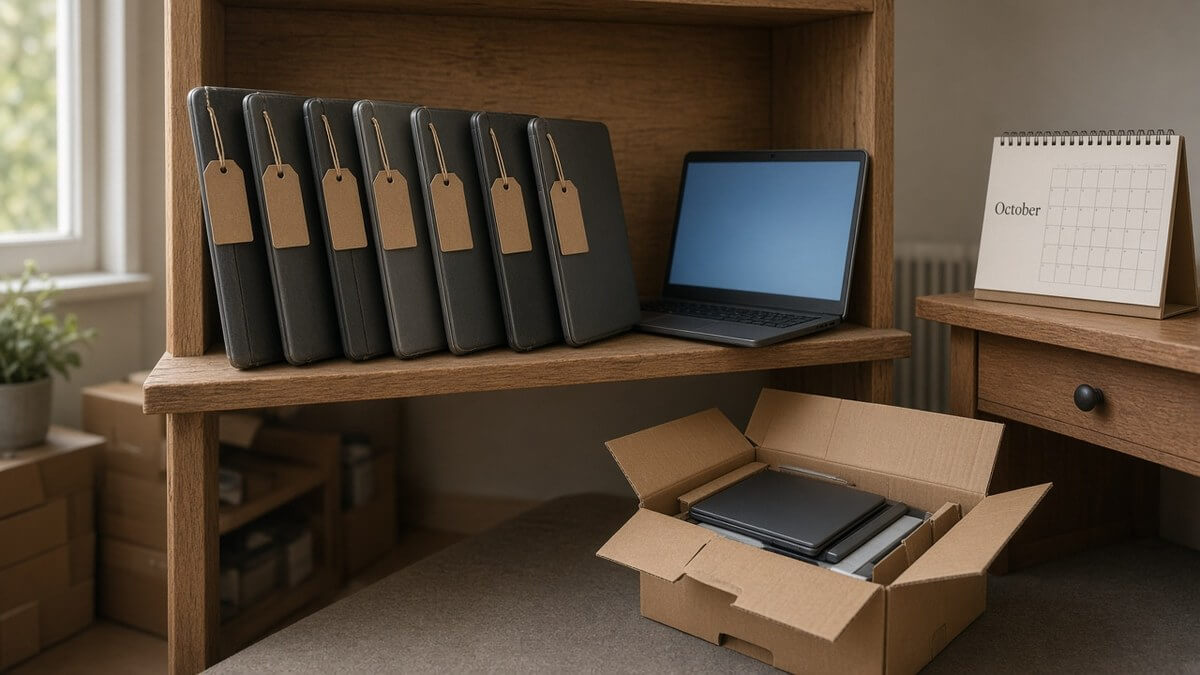
Windows 10 support ended on 14 October 2025. Plenty of small businesses bought a year of Windows 10 extended security updates for the PCs that weren’t ready, and promised to sort the rest later.
Later is almost here. On 13 October 2026, the first year of business Windows 10 extended security updates ends, and the final year of extended updates for Windows Server 2012 ends with it. If your Windows 10 end of support small business plan was “buy a year and think later”, this is the week to think.
What actually changes on 13 October 2026
Microsoft’s ESU lifecycle FAQ sets out the dates. Business ESU for Windows 10 covers the Enterprise, Education and Pro editions “in Commercial use”. Year 1 ends on 13 October 2026, Year 2 on 12 October 2027 and Year 3 on 10 October 2028. That’s the end of the road: three years after end of support, at most.
So two groups of PCs need a decision this week:
- PCs enrolled in Year 1. Their security updates stop after 13 October unless you buy Windows 10 ESU Year 2.
- PCs that never had ESU. They’ve had no security fixes since last October. Nothing changes for them on the 13th, which is rather the problem.
The same FAQ shows Windows Server 2012 and 2012 R2 in their third and final ESU year, also ending on 13 October 2026. Microsoft’s lifecycle pages for Windows Server 2012 and 2012 R2 list nothing after that.
Windows Server 2012 end of support arrived in October 2023. ESU was the bridge, and the bridge is ending. If an old server still runs your file shares or an accounts package, it stops getting security updates next week.
Home ESU vs business ESU: why the consumer extension doesn’t cover company PCs
Here’s the trap. Someone in the office enrolled their home laptop in the consumer ESU programme. It may not have cost a penny, and it now runs to 2027. So they assume their work PC got the same deal.
It didn’t. Microsoft’s consumer ESU page offers enrolment at no extra cost if you sync your PC settings, by redeeming 1,000 Microsoft Rewards points, or with a one-time purchase of USD 30 plus tax. Coverage now runs to 12 October 2027.
The same page is blunt: “The consumer ESU programme can’t be used in commercial scenarios.” Enrolment isn’t offered to devices joined to Active Directory or Microsoft Entra, devices enrolled in mobile device management, or kiosk-mode machines.
That rules out managed PCs. The riskier case is an unmanaged work laptop signed in with a personal Microsoft account, which may well show the enrol button. The button appearing is not permission. A business PC needs business ESU, bought through Microsoft volume licensing, according to Microsoft’s Windows 10 ESU guidance for organisations. And a work PC that could take a home licence is one you didn’t know was unmanaged. Add it to the inventory.
What staying on Windows 10 really costs
Microsoft lists business ESU at USD 61 per device for Year 1, and “the price doubles every consecutive year, for a maximum of three years” (Microsoft Learn). Two more rules on that page matter:
- No partial years. ESU is bought by the year. You can’t buy six months.
- Years are cumulative. Buy in Year 2 and you pay for Year 1 as well.
Doubling from Microsoft’s listed Year 1 figure, the per-device arithmetic looks like this:
| ESU year | Covers to | Price per device (USD) | Running total (USD) |
|---|---|---|---|
| Year 1 | 13 Oct 2026 | 61 | 61 |
| Year 2 | 12 Oct 2027 | 122 | 183 |
| Year 3 | 10 Oct 2028 | 244 | 427 |
So ten Windows 10 PCs that skipped Year 1 cost USD 1,830 to cover until October 2027 at Microsoft’s listed price. Keep them to 2028 and it’s USD 4,270.
That money buys security patches and nothing else: no new features and no general technical support, per the same page. Set the running total against a new PC that will be supported for years, and the case usually makes itself.
Cyber Essentials, insurers and supplier questionnaires all expect supported software
The Cyber Essentials unsupported software rule is short. Under the current Requirements for IT Infrastructure v3.3, all software on in-scope devices must “be licensed and supported”. When it becomes unsupported, it must be removed, or taken out of scope “by using a defined sub-set that prevents all traffic to or from the internet”.
It defines supported software as software a vendor has committed to fix, with a published date when fixes stop. A Windows 10 PC with no ESU doesn’t meet that. A PC on business ESU is still receiving Microsoft security fixes with a known end date, but check how your certification body treats it before relying on it at assessment. A Windows Server 2012 machine after 13 October has no route back to supported.
We’ve covered the rest of the current scheme in our Cyber Essentials Danzell guide.
Insurers and larger customers ask the same thing in plainer words: is all your software supported? Our supplier-questionnaire guide covers the wider evidence pack. “Yes, apart from a few PCs” is still a no.
Find every Windows 10 PC and old server you still have
You can’t decide about a device you don’t know exists. A quick checklist:
- Export devices from Intune or your remote management tool, filtered by operating system and version.
- Walk the office for anything unmanaged: reception PCs, meeting-room machines, the label-printer PC.
- Ask staff about home laptops that touch work email or files.
- Record the edition and version. Business ESU needs Windows 10, version 22H2 (Microsoft Learn).
- Check whether each PC meets Windows 11’s hardware requirements.
- List every server by operating system, virtual machines included, and flag 2012 and 2012 R2.
- Note which PCs already have Year 1 ESU, and which have consumer ESU they shouldn’t.
- Write down who uses each device and what would break if it changed.
That last column usually decides more than the hardware does.
Upgrade, replace or isolate: a quick decision guide for each device
Give every device on the list one of four labels.
Upgrade. It meets Windows 11’s hardware requirements and runs nothing tied to Windows 10. Upgrade in place, test the apps, move on.
Replace. It can’t run Windows 11, or a year or two of ESU would eat a meaningful chunk of a new machine’s price. Replace it.
Bridge with business ESU. It can’t move before 13 October for a real reason, such as an app still waiting on a Windows 11 version. Buy Year 2 with a named end date. Microsoft itself calls ESU “a last resort” and “a temporary bridge” in its lifecycle FAQ.
Isolate. Some machines can’t move because the thing they control can’t. Think of a PC driving a CNC machine, or a lab instrument PC whose software is only validated on Windows 10. Take it off the internet, segregate it from the main network and restrict who can log in. That’s also how Cyber Essentials expects you to take it out of scope. Give it a replacement date anyway.
Servers follow the same logic: move the workload to a supported Windows Server, Microsoft 365 or a cloud service. Microsoft’s table has no fourth ESU year for 2012.
A simple 30/60/90-day plan to finish the move to Windows 11
Here’s a plan to upgrade to Windows 11 small business teams can run alongside the day job.
Before 13 October. Finish the inventory. Buy Windows 10 ESU Year 2 only for PCs that genuinely can’t move yet, and confirm the keys are applied. Isolate anything that can neither move nor be covered. Decide what happens to each 2012 server.
Days 1–30. Upgrade every eligible PC, simplest first, so app problems surface early. Order replacements.
Days 31–60. Deploy the new PCs, migrate data and retire old devices properly: wipe, record, recycle. Move server workloads off 2012.
Days 61–90. Re-run the inventory to prove nothing is left on Windows 10 apart from named, isolated exceptions. File the evidence for your next Cyber Essentials renewal or questionnaire.
For any PC you bridged, put 12 October 2027 in the diary. With luck, the reminder will be redundant.
Get the whole estate checked before the deadline
CAMBITION is a Cambridge MSP founded in 2012, and we have assisted 250+ clients. Under managed IT, we can check your whole estate for Windows 10 PCs and Windows Server 2012 machines, sort out business ESU where it’s genuinely needed, and plan Windows 11 upgrades or replacements for everything else.
A short fit call will show where you stand. Call 01223 656 156, email ambitious@cambition.co.uk, or get in touch. Next week arrives either way. It’s better to meet it with a list.
Frequently asked questions
When does Windows 10 ESU Year 1 end for businesses?
On 13 October 2026. Microsoft lists Year 2 ending on 12 October 2027 and Year 3, the last, on 10 October 2028.
Can a business use the free consumer Windows 10 ESU?
No. Microsoft says the consumer ESU programme can’t be used in commercial scenarios, and it isn’t offered to domain-joined, Entra-joined or MDM-enrolled devices. Business PCs need business ESU through volume licensing.
How much does Windows 10 ESU Year 2 cost?
Microsoft lists Year 1 at USD 61 per device and says the price doubles each year, which makes Year 2 USD 122. Years are cumulative, so starting in Year 2 means paying for both: USD 183 per device.
Does Windows Server 2012 get security updates after October 2026?
No. The third and final ESU year for Windows Server 2012 and 2012 R2 ends on 13 October 2026. Plan to move those workloads to a supported platform.
© CAMBITION I.T. Services Ltd
Head Office
Unit 7, Church Meadows, Haslingfield Road, Barrington, Cambridgeshire, CB22 7RG
VAT# 136 186 313 · Registered in the UK # 808 4429
View Privacy / Data Protection / Cookie Statement · Terms
Windows 10 extended security updates: what UK small businesses must do before 13 October
Windows 10 support ended on 14 October 2025. Plenty of small businesses bought a year of Windows 10 extended security updates for the PCs that weren’t ready, and promised to sort the rest later.
Later is almost here. On 13 October 2026, the first year of business Windows 10 extended security updates ends, and the final year of extended updates for Windows Server 2012 ends with it. If your Windows 10 end of support small business plan was “buy a year and think later”, this is the week to think.
What actually changes on 13 October 2026
Microsoft’s ESU lifecycle FAQ sets out the dates. Business ESU for Windows 10 covers the Enterprise, Education and Pro editions “in Commercial use”. Year 1 ends on 13 October 2026, Year 2 on 12 October 2027 and Year 3 on 10 October 2028. That’s the end of the road: three years after end of support, at most.
So two groups of PCs need a decision this week:
- PCs enrolled in Year 1. Their security updates stop after 13 October unless you buy Windows 10 ESU Year 2.
- PCs that never had ESU. They’ve had no security fixes since last October. Nothing changes for them on the 13th, which is rather the problem.
The same FAQ shows Windows Server 2012 and 2012 R2 in their third and final ESU year, also ending on 13 October 2026. Microsoft’s lifecycle pages for Windows Server 2012 and 2012 R2 list nothing after that.
Windows Server 2012 end of support arrived in October 2023. ESU was the bridge, and the bridge is ending. If an old server still runs your file shares or an accounts package, it stops getting security updates next week.
Home ESU vs business ESU: why the consumer extension doesn’t cover company PCs
Here’s the trap. Someone in the office enrolled their home laptop in the consumer ESU programme. It may not have cost a penny, and it now runs to 2027. So they assume their work PC got the same deal.
It didn’t. Microsoft’s consumer ESU page offers enrolment at no extra cost if you sync your PC settings, by redeeming 1,000 Microsoft Rewards points, or with a one-time purchase of USD 30 plus tax. Coverage now runs to 12 October 2027.
The same page is blunt: “The consumer ESU programme can’t be used in commercial scenarios.” Enrolment isn’t offered to devices joined to Active Directory or Microsoft Entra, devices enrolled in mobile device management, or kiosk-mode machines.
That rules out managed PCs. The riskier case is an unmanaged work laptop signed in with a personal Microsoft account, which may well show the enrol button. The button appearing is not permission. A business PC needs business ESU, bought through Microsoft volume licensing, according to Microsoft’s Windows 10 ESU guidance for organisations. And a work PC that could take a home licence is one you didn’t know was unmanaged. Add it to the inventory.
What staying on Windows 10 really costs
Microsoft lists business ESU at USD 61 per device for Year 1, and “the price doubles every consecutive year, for a maximum of three years” (Microsoft Learn). Two more rules on that page matter:
- No partial years. ESU is bought by the year. You can’t buy six months.
- Years are cumulative. Buy in Year 2 and you pay for Year 1 as well.
Doubling from Microsoft’s listed Year 1 figure, the per-device arithmetic looks like this:
| ESU year | Covers to | Price per device (USD) | Running total (USD) |
|---|---|---|---|
| Year 1 | 13 Oct 2026 | 61 | 61 |
| Year 2 | 12 Oct 2027 | 122 | 183 |
| Year 3 | 10 Oct 2028 | 244 | 427 |
So ten Windows 10 PCs that skipped Year 1 cost USD 1,830 to cover until October 2027 at Microsoft’s listed price. Keep them to 2028 and it’s USD 4,270.
That money buys security patches and nothing else: no new features and no general technical support, per the same page. Set the running total against a new PC that will be supported for years, and the case usually makes itself.
Cyber Essentials, insurers and supplier questionnaires all expect supported software
The Cyber Essentials unsupported software rule is short. Under the current Requirements for IT Infrastructure v3.3, all software on in-scope devices must “be licensed and supported”. When it becomes unsupported, it must be removed, or taken out of scope “by using a defined sub-set that prevents all traffic to or from the internet”.
It defines supported software as software a vendor has committed to fix, with a published date when fixes stop. A Windows 10 PC with no ESU doesn’t meet that. A PC on business ESU is still receiving Microsoft security fixes with a known end date, but check how your certification body treats it before relying on it at assessment. A Windows Server 2012 machine after 13 October has no route back to supported.
We’ve covered the rest of the current scheme in our Cyber Essentials Danzell guide.
Insurers and larger customers ask the same thing in plainer words: is all your software supported? Our supplier-questionnaire guide covers the wider evidence pack. “Yes, apart from a few PCs” is still a no.
Find every Windows 10 PC and old server you still have
You can’t decide about a device you don’t know exists. A quick checklist:
- Export devices from Intune or your remote management tool, filtered by operating system and version.
- Walk the office for anything unmanaged: reception PCs, meeting-room machines, the label-printer PC.
- Ask staff about home laptops that touch work email or files.
- Record the edition and version. Business ESU needs Windows 10, version 22H2 (Microsoft Learn).
- Check whether each PC meets Windows 11’s hardware requirements.
- List every server by operating system, virtual machines included, and flag 2012 and 2012 R2.
- Note which PCs already have Year 1 ESU, and which have consumer ESU they shouldn’t.
- Write down who uses each device and what would break if it changed.
That last column usually decides more than the hardware does.
Upgrade, replace or isolate: a quick decision guide for each device
Give every device on the list one of four labels.
Upgrade. It meets Windows 11’s hardware requirements and runs nothing tied to Windows 10. Upgrade in place, test the apps, move on.
Replace. It can’t run Windows 11, or a year or two of ESU would eat a meaningful chunk of a new machine’s price. Replace it.
Bridge with business ESU. It can’t move before 13 October for a real reason, such as an app still waiting on a Windows 11 version. Buy Year 2 with a named end date. Microsoft itself calls ESU “a last resort” and “a temporary bridge” in its lifecycle FAQ.
Isolate. Some machines can’t move because the thing they control can’t. Think of a PC driving a CNC machine, or a lab instrument PC whose software is only validated on Windows 10. Take it off the internet, segregate it from the main network and restrict who can log in. That’s also how Cyber Essentials expects you to take it out of scope. Give it a replacement date anyway.
Servers follow the same logic: move the workload to a supported Windows Server, Microsoft 365 or a cloud service. Microsoft’s table has no fourth ESU year for 2012.
A simple 30/60/90-day plan to finish the move to Windows 11
Here’s a plan to upgrade to Windows 11 small business teams can run alongside the day job.
Before 13 October. Finish the inventory. Buy Windows 10 ESU Year 2 only for PCs that genuinely can’t move yet, and confirm the keys are applied. Isolate anything that can neither move nor be covered. Decide what happens to each 2012 server.
Days 1–30. Upgrade every eligible PC, simplest first, so app problems surface early. Order replacements.
Days 31–60. Deploy the new PCs, migrate data and retire old devices properly: wipe, record, recycle. Move server workloads off 2012.
Days 61–90. Re-run the inventory to prove nothing is left on Windows 10 apart from named, isolated exceptions. File the evidence for your next Cyber Essentials renewal or questionnaire.
For any PC you bridged, put 12 October 2027 in the diary. With luck, the reminder will be redundant.
Get the whole estate checked before the deadline
CAMBITION is a Cambridge MSP founded in 2012, and we have assisted 250+ clients. Under managed IT, we can check your whole estate for Windows 10 PCs and Windows Server 2012 machines, sort out business ESU where it’s genuinely needed, and plan Windows 11 upgrades or replacements for everything else.
A short fit call will show where you stand. Call 01223 656 156, email ambitious@cambition.co.uk, or get in touch. Next week arrives either way. It’s better to meet it with a list.
Frequently asked questions
When does Windows 10 ESU Year 1 end for businesses?
On 13 October 2026. Microsoft lists Year 2 ending on 12 October 2027 and Year 3, the last, on 10 October 2028.
Can a business use the free consumer Windows 10 ESU?
No. Microsoft says the consumer ESU programme can’t be used in commercial scenarios, and it isn’t offered to domain-joined, Entra-joined or MDM-enrolled devices. Business PCs need business ESU through volume licensing.
How much does Windows 10 ESU Year 2 cost?
Microsoft lists Year 1 at USD 61 per device and says the price doubles each year, which makes Year 2 USD 122. Years are cumulative, so starting in Year 2 means paying for both: USD 183 per device.
Does Windows Server 2012 get security updates after October 2026?
No. The third and final ESU year for Windows Server 2012 and 2012 R2 ends on 13 October 2026. Plan to move those workloads to a supported platform.
© CAMBITION I.T. Services Ltd
Head Office
Unit 7, Church Meadows, Haslingfield Road, Barrington, Cambridgeshire, CB22 7RG
VAT# 136 186 313 · Registered in the UK # 808 4429
View Privacy / Data Protection / Cookie Statement · Terms

Windows 10 extended security updates: what UK small businesses must do before 13 October
Windows 10 support ended on 14 October 2025. Plenty of small businesses bought a year of Windows 10 extended security updates for the PCs that weren’t ready, and promised to sort the rest later.
Later is almost here. On 13 October 2026, the first year of business Windows 10 extended security updates ends, and the final year of extended updates for Windows Server 2012 ends with it. If your Windows 10 end of support small business plan was “buy a year and think later”, this is the week to think.
What actually changes on 13 October 2026
Microsoft’s ESU lifecycle FAQ sets out the dates. Business ESU for Windows 10 covers the Enterprise, Education and Pro editions “in Commercial use”. Year 1 ends on 13 October 2026, Year 2 on 12 October 2027 and Year 3 on 10 October 2028. That’s the end of the road: three years after end of support, at most.
So two groups of PCs need a decision this week:
- PCs enrolled in Year 1. Their security updates stop after 13 October unless you buy Windows 10 ESU Year 2.
- PCs that never had ESU. They’ve had no security fixes since last October. Nothing changes for them on the 13th, which is rather the problem.
The same FAQ shows Windows Server 2012 and 2012 R2 in their third and final ESU year, also ending on 13 October 2026. Microsoft’s lifecycle pages for Windows Server 2012 and 2012 R2 list nothing after that.
Windows Server 2012 end of support arrived in October 2023. ESU was the bridge, and the bridge is ending. If an old server still runs your file shares or an accounts package, it stops getting security updates next week.
Home ESU vs business ESU: why the consumer extension doesn’t cover company PCs
Here’s the trap. Someone in the office enrolled their home laptop in the consumer ESU programme. It may not have cost a penny, and it now runs to 2027. So they assume their work PC got the same deal.
It didn’t. Microsoft’s consumer ESU page offers enrolment at no extra cost if you sync your PC settings, by redeeming 1,000 Microsoft Rewards points, or with a one-time purchase of USD 30 plus tax. Coverage now runs to 12 October 2027.
The same page is blunt: “The consumer ESU programme can’t be used in commercial scenarios.” Enrolment isn’t offered to devices joined to Active Directory or Microsoft Entra, devices enrolled in mobile device management, or kiosk-mode machines.
That rules out managed PCs. The riskier case is an unmanaged work laptop signed in with a personal Microsoft account, which may well show the enrol button. The button appearing is not permission. A business PC needs business ESU, bought through Microsoft volume licensing, according to Microsoft’s Windows 10 ESU guidance for organisations. And a work PC that could take a home licence is one you didn’t know was unmanaged. Add it to the inventory.
What staying on Windows 10 really costs
Microsoft lists business ESU at USD 61 per device for Year 1, and “the price doubles every consecutive year, for a maximum of three years” (Microsoft Learn). Two more rules on that page matter:
- No partial years. ESU is bought by the year. You can’t buy six months.
- Years are cumulative. Buy in Year 2 and you pay for Year 1 as well.
Doubling from Microsoft’s listed Year 1 figure, the per-device arithmetic looks like this:
| ESU year | Covers to | Price per device (USD) | Running total (USD) |
|---|---|---|---|
| Year 1 | 13 Oct 2026 | 61 | 61 |
| Year 2 | 12 Oct 2027 | 122 | 183 |
| Year 3 | 10 Oct 2028 | 244 | 427 |
So ten Windows 10 PCs that skipped Year 1 cost USD 1,830 to cover until October 2027 at Microsoft’s listed price. Keep them to 2028 and it’s USD 4,270.
That money buys security patches and nothing else: no new features and no general technical support, per the same page. Set the running total against a new PC that will be supported for years, and the case usually makes itself.
Cyber Essentials, insurers and supplier questionnaires all expect supported software
The Cyber Essentials unsupported software rule is short. Under the current Requirements for IT Infrastructure v3.3, all software on in-scope devices must “be licensed and supported”. When it becomes unsupported, it must be removed, or taken out of scope “by using a defined sub-set that prevents all traffic to or from the internet”.
It defines supported software as software a vendor has committed to fix, with a published date when fixes stop. A Windows 10 PC with no ESU doesn’t meet that. A PC on business ESU is still receiving Microsoft security fixes with a known end date, but check how your certification body treats it before relying on it at assessment. A Windows Server 2012 machine after 13 October has no route back to supported.
We’ve covered the rest of the current scheme in our Cyber Essentials Danzell guide.
Insurers and larger customers ask the same thing in plainer words: is all your software supported? Our supplier-questionnaire guide covers the wider evidence pack. “Yes, apart from a few PCs” is still a no.
Find every Windows 10 PC and old server you still have
You can’t decide about a device you don’t know exists. A quick checklist:
- Export devices from Intune or your remote management tool, filtered by operating system and version.
- Walk the office for anything unmanaged: reception PCs, meeting-room machines, the label-printer PC.
- Ask staff about home laptops that touch work email or files.
- Record the edition and version. Business ESU needs Windows 10, version 22H2 (Microsoft Learn).
- Check whether each PC meets Windows 11’s hardware requirements.
- List every server by operating system, virtual machines included, and flag 2012 and 2012 R2.
- Note which PCs already have Year 1 ESU, and which have consumer ESU they shouldn’t.
- Write down who uses each device and what would break if it changed.
That last column usually decides more than the hardware does.
Upgrade, replace or isolate: a quick decision guide for each device
Give every device on the list one of four labels.
Upgrade. It meets Windows 11’s hardware requirements and runs nothing tied to Windows 10. Upgrade in place, test the apps, move on.
Replace. It can’t run Windows 11, or a year or two of ESU would eat a meaningful chunk of a new machine’s price. Replace it.
Bridge with business ESU. It can’t move before 13 October for a real reason, such as an app still waiting on a Windows 11 version. Buy Year 2 with a named end date. Microsoft itself calls ESU “a last resort” and “a temporary bridge” in its lifecycle FAQ.
Isolate. Some machines can’t move because the thing they control can’t. Think of a PC driving a CNC machine, or a lab instrument PC whose software is only validated on Windows 10. Take it off the internet, segregate it from the main network and restrict who can log in. That’s also how Cyber Essentials expects you to take it out of scope. Give it a replacement date anyway.
Servers follow the same logic: move the workload to a supported Windows Server, Microsoft 365 or a cloud service. Microsoft’s table has no fourth ESU year for 2012.
A simple 30/60/90-day plan to finish the move to Windows 11
Here’s a plan to upgrade to Windows 11 small business teams can run alongside the day job.
Before 13 October. Finish the inventory. Buy Windows 10 ESU Year 2 only for PCs that genuinely can’t move yet, and confirm the keys are applied. Isolate anything that can neither move nor be covered. Decide what happens to each 2012 server.
Days 1–30. Upgrade every eligible PC, simplest first, so app problems surface early. Order replacements.
Days 31–60. Deploy the new PCs, migrate data and retire old devices properly: wipe, record, recycle. Move server workloads off 2012.
Days 61–90. Re-run the inventory to prove nothing is left on Windows 10 apart from named, isolated exceptions. File the evidence for your next Cyber Essentials renewal or questionnaire.
For any PC you bridged, put 12 October 2027 in the diary. With luck, the reminder will be redundant.
Get the whole estate checked before the deadline
CAMBITION is a Cambridge MSP founded in 2012, and we have assisted 250+ clients. Under managed IT, we can check your whole estate for Windows 10 PCs and Windows Server 2012 machines, sort out business ESU where it’s genuinely needed, and plan Windows 11 upgrades or replacements for everything else.
A short fit call will show where you stand. Call 01223 656 156, email ambitious@cambition.co.uk, or get in touch. Next week arrives either way. It’s better to meet it with a list.
Frequently asked questions
When does Windows 10 ESU Year 1 end for businesses?
On 13 October 2026. Microsoft lists Year 2 ending on 12 October 2027 and Year 3, the last, on 10 October 2028.
Can a business use the free consumer Windows 10 ESU?
No. Microsoft says the consumer ESU programme can’t be used in commercial scenarios, and it isn’t offered to domain-joined, Entra-joined or MDM-enrolled devices. Business PCs need business ESU through volume licensing.
How much does Windows 10 ESU Year 2 cost?
Microsoft lists Year 1 at USD 61 per device and says the price doubles each year, which makes Year 2 USD 122. Years are cumulative, so starting in Year 2 means paying for both: USD 183 per device.
Does Windows Server 2012 get security updates after October 2026?
No. The third and final ESU year for Windows Server 2012 and 2012 R2 ends on 13 October 2026. Plan to move those workloads to a supported platform.
© CAMBITION I.T. Services Ltd
Head Office
Unit 7, Church Meadows, Haslingfield Road, Barrington, Cambridgeshire, CB22 7RG
VAT# 136 186 313 · Registered in the UK # 808 4429
View Privacy / Data Protection / Cookie Statement · Terms