
Will your scanner stop emailing? Microsoft’s SMTP AUTH change in December 2026
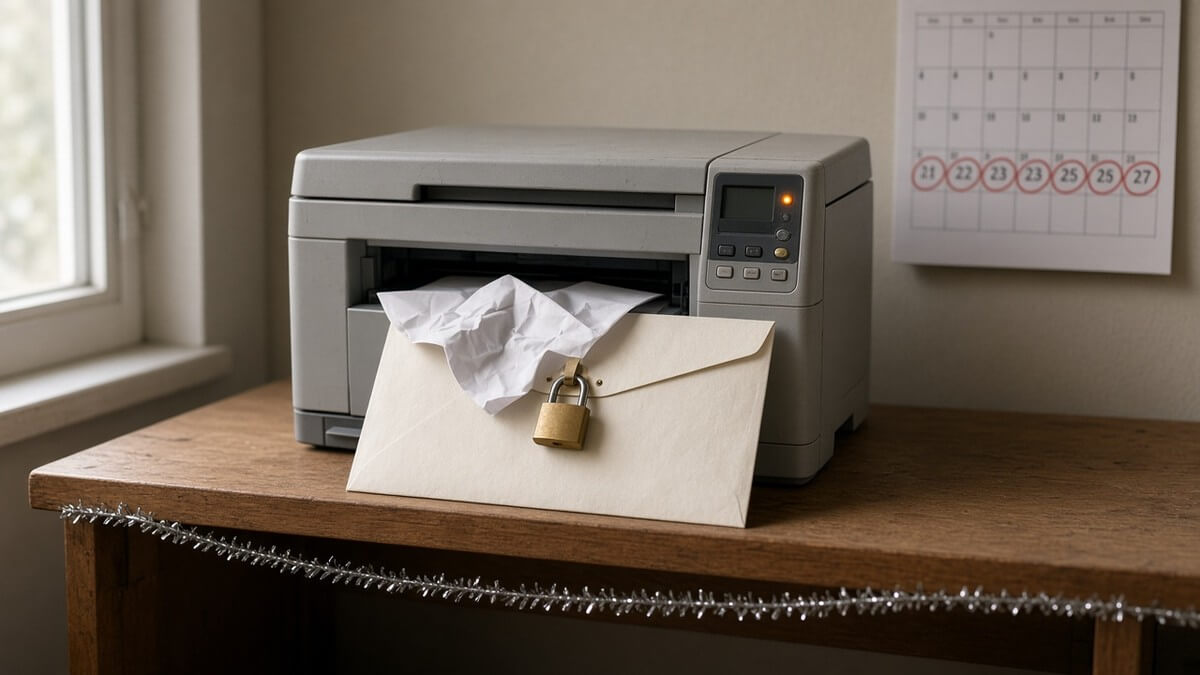
Somewhere in your office there’s a multifunction printer with an email password typed into it years ago. It scans, it sends, nobody thinks about it. At the end of December 2026, Microsoft changes the rules that let it do that.
Microsoft will switch off SMTP AUTH Basic authentication by default for existing Exchange Online tenants at the end of December 2026 (Exchange Team blog, 27 January 2026). Your staff won’t notice. Your scanner, accounts software and website contact form might. Here’s what breaks and how to fix it.
What Microsoft is changing, and when
Microsoft’s updated timeline has four steps:
- Until December 2026: nothing changes. SMTP AUTH with a username and password keeps working.
- End of December 2026: Basic authentication for SMTP AUTH is disabled by default for existing tenants. Admins can still switch it back on if they need to.
- New tenants created after December 2026: Basic auth for SMTP AUTH isn’t available by default. OAuth is the supported method.
- Second half of 2027: Microsoft will announce the final removal date.
This basic authentication retirement has slipped before: Microsoft first planned it for September 2025, then for 1 March to 30 April 2026 (Exchange Team blog). Don’t bank on another delay. Plan around the end of December 2026.
What SMTP AUTH is, and why Outlook users won’t notice
SMTP AUTH (also called authenticated SMTP submission) is how a device or app logs in to a Microsoft 365 mailbox to send email, usually on port 587 to smtp.office365.com. Basic authentication means it logs in with a username and password, stored on the device.
People don’t use it. Microsoft says that virtually all modern email clients connecting to Exchange Online, including Outlook, Outlook on the web and the Outlook mobile apps, don’t use SMTP AUTH to send (Microsoft Learn). So the office won’t stop emailing. Machines will.
It’s also the last straggler. Microsoft has already removed Basic authentication from Exchange ActiveSync, POP, IMAP, Exchange Web Services and Remote PowerShell (Microsoft Learn).
What in a small office is likely to break
Anything that sends email by logging in with a mailbox password. Usually:
- Scan-to-email printers and copiers. The classic, often using a “scanner@” mailbox whose password hasn’t changed since installation day.
- Accounting, CRM and booking software that emails invoices, statements or reminders from your domain.
- Website contact forms that send enquiries through your Microsoft 365 account rather than a mail service.
- Alerts from kit in the comms cupboard: UPS units, NAS boxes, CCTV recorders and alarm panels. A lab freezer that emails when the temperature climbs is the same problem.
- Old scripts that email reports.
The awkward part is timing. The default changes when many offices are closed. A scanner that fails quietly over Christmas may not get reported until January.
How to find out what’s using SMTP AUTH
- Check the SMTP AUTH clients report. In the Exchange admin center, go to Reports > Mail flow > SMTP AUTH clients. The Authentication Protocol column shows whether each sender uses Basic Auth or Modern Auth (OAuth). It covers up to 90 days and you can export it to CSV (Microsoft Learn). Every “Basic Auth” row goes on your list.
- Check which mailboxes allow it. Exchange Online SMTP AUTH can be switched on per mailbox, and Microsoft recommends enabling it only where needed. See the setting under Users > Active users > Mail > Manage email apps in the Microsoft 365 admin center (Microsoft Learn).
- Walk the office. If a printer’s email page asks for a server, port and password, write it down.
- Ask your suppliers. One question: “Does this support OAuth for sending email with Microsoft 365, and if not, what do you recommend?”
Your options
OAuth, if the device or app supports it
The clean fix. OAuth SMTP for Microsoft 365 uses access tokens with a limited lifetime instead of a stored password (Microsoft Learn). Check whether a firmware or software update adds it before you replace anything.
An SMTP relay connector
If a device can’t do OAuth, Microsoft’s guide to scan to email for Microsoft 365 devices offers an SMTP relay: a connector in Exchange Online that trusts a certificate or your office’s static public IP address, so the device sends without a mailbox password (Microsoft Learn). It needs port 25, an unshared static IP (if not using a certificate) and an SPF record entry.
High Volume Email, for internal-only mail
Microsoft’s High Volume Email (HVE) has been generally available since 31 March 2026 (Microsoft 365 blog). It’s built for apps and devices, scanners included, and sends from a dedicated HVE account rather than a user mailbox. The catches: it only delivers inside your own organisation, and it’s billed per recipient through Microsoft 365 pay-as-you-go, linked to an Azure subscription (Microsoft Learn). Fine for scans to staff. No use for invoices to customers.
Direct send: proceed with care
Direct send lets a device send to your own mailboxes with no sign-in at all. Microsoft recommends it only for advanced customers, says most don’t need it, and notes it can’t reach external recipients (Microsoft Learn). Microsoft has also added a Reject Direct Send setting that blocks anonymous mail claiming to be from your own domain (Exchange Team blog). Turn that on and direct send stops. For most small offices, a relay connector is the safer fallback.
Why turning Basic auth back on is only a stopgap
Admins can re-enable Basic auth after December 2026, but a final removal date is coming. It buys months, not a fix. Use it for one stubborn device while you sort it properly.
Why this is a security win, not just admin
Basic auth is a password sitting on a device, often for a mailbox that can email anyone. Microsoft says Basic authentication makes it easier for attackers to capture credentials, and that enforcing MFA isn’t simple, or sometimes possible, while it stays on (Microsoft Learn).
The NCSC calls this out directly. Its MFA guidance lists “bypass by legacy protocols” as an anti-pattern: legacy email protocols that don’t support MFA can mean only a password is needed, even when MFA is enforced everywhere else (NCSC). If you’ve already done the work on stronger sign-ins, as in our guide to Microsoft’s SMS MFA retirement, an old SMTP password is the side door you left open. It’s also worth tidying before your next Cyber Essentials assessment, which expects MFA on cloud services.
A short checklist before Christmas
- Export the SMTP AUTH clients report and list every Basic Auth sender.
- Check firmware and app versions for OAuth support, and move what you can.
- Set up a relay connector or HVE for anything that can’t.
- Test scan-to-email and every alert, and actually read the test messages.
- Turn SMTP AUTH off for mailboxes that no longer need it.
- Note anything you re-enable Basic auth for, and why.
Deadlines arrive together. If you’re also facing the PSTN switch-off, do both inventories in one walk round the office.
How Cambition can help
We’ve supported small businesses since 2012, and this job slips between the cracks: part Microsoft 365, part printer, part software supplier. We’ll run the report, find everything still sending with a password, move it to OAuth or a relay and switch off what’s left. To hand the lot over, see managed IT and cyber security, or our small business IT support page.
Not sure what in your office still sends email with a password? Book a short fit call and we’ll help you find it and move it before the end of December 2026. Call 01223 656 156, email ambitious@cambition.co.uk, or use our contact page.
Frequently asked questions
Will Outlook stop sending email in December?
No. Outlook, Outlook on the web and the Outlook mobile apps don’t use SMTP AUTH to send. The change hits devices and apps that log in with a username and password.
How do I know if my scanner uses SMTP AUTH?
If its email settings point at smtp.office365.com on port 587 with a username and password, it’s using SMTP AUTH basic authentication. The SMTP AUTH clients report in the Exchange admin center confirms it.
Can I just turn Basic auth back on?
For now, yes. Admins can re-enable it after the end of December 2026. It’s temporary: a final removal date follows.
What’s the final deadline?
Microsoft hasn’t set one. It will announce the final removal date in the second half of 2027. The date that matters now is the end of December 2026.
Does this affect Gmail or Google Workspace?
No. This is a Microsoft 365 and Exchange Online change only.
© CAMBITION I.T. Services Ltd
Head Office
Unit 7, Church Meadows, Haslingfield Road, Barrington, Cambridgeshire, CB22 7RG
VAT# 136 186 313 · Registered in the UK # 808 4429
View Privacy / Data Protection / Cookie Statement · Terms
Will your scanner stop emailing? Microsoft’s SMTP AUTH change in December 2026
Somewhere in your office there’s a multifunction printer with an email password typed into it years ago. It scans, it sends, nobody thinks about it. At the end of December 2026, Microsoft changes the rules that let it do that.
Microsoft will switch off SMTP AUTH Basic authentication by default for existing Exchange Online tenants at the end of December 2026 (Exchange Team blog, 27 January 2026). Your staff won’t notice. Your scanner, accounts software and website contact form might. Here’s what breaks and how to fix it.
What Microsoft is changing, and when
Microsoft’s updated timeline has four steps:
- Until December 2026: nothing changes. SMTP AUTH with a username and password keeps working.
- End of December 2026: Basic authentication for SMTP AUTH is disabled by default for existing tenants. Admins can still switch it back on if they need to.
- New tenants created after December 2026: Basic auth for SMTP AUTH isn’t available by default. OAuth is the supported method.
- Second half of 2027: Microsoft will announce the final removal date.
This basic authentication retirement has slipped before: Microsoft first planned it for September 2025, then for 1 March to 30 April 2026 (Exchange Team blog). Don’t bank on another delay. Plan around the end of December 2026.
What SMTP AUTH is, and why Outlook users won’t notice
SMTP AUTH (also called authenticated SMTP submission) is how a device or app logs in to a Microsoft 365 mailbox to send email, usually on port 587 to smtp.office365.com. Basic authentication means it logs in with a username and password, stored on the device.
People don’t use it. Microsoft says that virtually all modern email clients connecting to Exchange Online, including Outlook, Outlook on the web and the Outlook mobile apps, don’t use SMTP AUTH to send (Microsoft Learn). So the office won’t stop emailing. Machines will.
It’s also the last straggler. Microsoft has already removed Basic authentication from Exchange ActiveSync, POP, IMAP, Exchange Web Services and Remote PowerShell (Microsoft Learn).
What in a small office is likely to break
Anything that sends email by logging in with a mailbox password. Usually:
- Scan-to-email printers and copiers. The classic, often using a “scanner@” mailbox whose password hasn’t changed since installation day.
- Accounting, CRM and booking software that emails invoices, statements or reminders from your domain.
- Website contact forms that send enquiries through your Microsoft 365 account rather than a mail service.
- Alerts from kit in the comms cupboard: UPS units, NAS boxes, CCTV recorders and alarm panels. A lab freezer that emails when the temperature climbs is the same problem.
- Old scripts that email reports.
The awkward part is timing. The default changes when many offices are closed. A scanner that fails quietly over Christmas may not get reported until January.
How to find out what’s using SMTP AUTH
- Check the SMTP AUTH clients report. In the Exchange admin center, go to Reports > Mail flow > SMTP AUTH clients. The Authentication Protocol column shows whether each sender uses Basic Auth or Modern Auth (OAuth). It covers up to 90 days and you can export it to CSV (Microsoft Learn). Every “Basic Auth” row goes on your list.
- Check which mailboxes allow it. Exchange Online SMTP AUTH can be switched on per mailbox, and Microsoft recommends enabling it only where needed. See the setting under Users > Active users > Mail > Manage email apps in the Microsoft 365 admin center (Microsoft Learn).
- Walk the office. If a printer’s email page asks for a server, port and password, write it down.
- Ask your suppliers. One question: “Does this support OAuth for sending email with Microsoft 365, and if not, what do you recommend?”
Your options
OAuth, if the device or app supports it
The clean fix. OAuth SMTP for Microsoft 365 uses access tokens with a limited lifetime instead of a stored password (Microsoft Learn). Check whether a firmware or software update adds it before you replace anything.
An SMTP relay connector
If a device can’t do OAuth, Microsoft’s guide to scan to email for Microsoft 365 devices offers an SMTP relay: a connector in Exchange Online that trusts a certificate or your office’s static public IP address, so the device sends without a mailbox password (Microsoft Learn). It needs port 25, an unshared static IP (if not using a certificate) and an SPF record entry.
High Volume Email, for internal-only mail
Microsoft’s High Volume Email (HVE) has been generally available since 31 March 2026 (Microsoft 365 blog). It’s built for apps and devices, scanners included, and sends from a dedicated HVE account rather than a user mailbox. The catches: it only delivers inside your own organisation, and it’s billed per recipient through Microsoft 365 pay-as-you-go, linked to an Azure subscription (Microsoft Learn). Fine for scans to staff. No use for invoices to customers.
Direct send: proceed with care
Direct send lets a device send to your own mailboxes with no sign-in at all. Microsoft recommends it only for advanced customers, says most don’t need it, and notes it can’t reach external recipients (Microsoft Learn). Microsoft has also added a Reject Direct Send setting that blocks anonymous mail claiming to be from your own domain (Exchange Team blog). Turn that on and direct send stops. For most small offices, a relay connector is the safer fallback.
Why turning Basic auth back on is only a stopgap
Admins can re-enable Basic auth after December 2026, but a final removal date is coming. It buys months, not a fix. Use it for one stubborn device while you sort it properly.
Why this is a security win, not just admin
Basic auth is a password sitting on a device, often for a mailbox that can email anyone. Microsoft says Basic authentication makes it easier for attackers to capture credentials, and that enforcing MFA isn’t simple, or sometimes possible, while it stays on (Microsoft Learn).
The NCSC calls this out directly. Its MFA guidance lists “bypass by legacy protocols” as an anti-pattern: legacy email protocols that don’t support MFA can mean only a password is needed, even when MFA is enforced everywhere else (NCSC). If you’ve already done the work on stronger sign-ins, as in our guide to Microsoft’s SMS MFA retirement, an old SMTP password is the side door you left open. It’s also worth tidying before your next Cyber Essentials assessment, which expects MFA on cloud services.
A short checklist before Christmas
- Export the SMTP AUTH clients report and list every Basic Auth sender.
- Check firmware and app versions for OAuth support, and move what you can.
- Set up a relay connector or HVE for anything that can’t.
- Test scan-to-email and every alert, and actually read the test messages.
- Turn SMTP AUTH off for mailboxes that no longer need it.
- Note anything you re-enable Basic auth for, and why.
Deadlines arrive together. If you’re also facing the PSTN switch-off, do both inventories in one walk round the office.
How Cambition can help
We’ve supported small businesses since 2012, and this job slips between the cracks: part Microsoft 365, part printer, part software supplier. We’ll run the report, find everything still sending with a password, move it to OAuth or a relay and switch off what’s left. To hand the lot over, see managed IT and cyber security, or our small business IT support page.
Not sure what in your office still sends email with a password? Book a short fit call and we’ll help you find it and move it before the end of December 2026. Call 01223 656 156, email ambitious@cambition.co.uk, or use our contact page.
Frequently asked questions
Will Outlook stop sending email in December?
No. Outlook, Outlook on the web and the Outlook mobile apps don’t use SMTP AUTH to send. The change hits devices and apps that log in with a username and password.
How do I know if my scanner uses SMTP AUTH?
If its email settings point at smtp.office365.com on port 587 with a username and password, it’s using SMTP AUTH basic authentication. The SMTP AUTH clients report in the Exchange admin center confirms it.
Can I just turn Basic auth back on?
For now, yes. Admins can re-enable it after the end of December 2026. It’s temporary: a final removal date follows.
What’s the final deadline?
Microsoft hasn’t set one. It will announce the final removal date in the second half of 2027. The date that matters now is the end of December 2026.
Does this affect Gmail or Google Workspace?
No. This is a Microsoft 365 and Exchange Online change only.
© CAMBITION I.T. Services Ltd
Head Office
Unit 7, Church Meadows, Haslingfield Road, Barrington, Cambridgeshire, CB22 7RG
VAT# 136 186 313 · Registered in the UK # 808 4429
View Privacy / Data Protection / Cookie Statement · Terms

Will your scanner stop emailing? Microsoft’s SMTP AUTH change in December 2026
Somewhere in your office there’s a multifunction printer with an email password typed into it years ago. It scans, it sends, nobody thinks about it. At the end of December 2026, Microsoft changes the rules that let it do that.
Microsoft will switch off SMTP AUTH Basic authentication by default for existing Exchange Online tenants at the end of December 2026 (Exchange Team blog, 27 January 2026). Your staff won’t notice. Your scanner, accounts software and website contact form might. Here’s what breaks and how to fix it.
What Microsoft is changing, and when
Microsoft’s updated timeline has four steps:
- Until December 2026: nothing changes. SMTP AUTH with a username and password keeps working.
- End of December 2026: Basic authentication for SMTP AUTH is disabled by default for existing tenants. Admins can still switch it back on if they need to.
- New tenants created after December 2026: Basic auth for SMTP AUTH isn’t available by default. OAuth is the supported method.
- Second half of 2027: Microsoft will announce the final removal date.
This basic authentication retirement has slipped before: Microsoft first planned it for September 2025, then for 1 March to 30 April 2026 (Exchange Team blog). Don’t bank on another delay. Plan around the end of December 2026.
What SMTP AUTH is, and why Outlook users won’t notice
SMTP AUTH (also called authenticated SMTP submission) is how a device or app logs in to a Microsoft 365 mailbox to send email, usually on port 587 to smtp.office365.com. Basic authentication means it logs in with a username and password, stored on the device.
People don’t use it. Microsoft says that virtually all modern email clients connecting to Exchange Online, including Outlook, Outlook on the web and the Outlook mobile apps, don’t use SMTP AUTH to send (Microsoft Learn). So the office won’t stop emailing. Machines will.
It’s also the last straggler. Microsoft has already removed Basic authentication from Exchange ActiveSync, POP, IMAP, Exchange Web Services and Remote PowerShell (Microsoft Learn).
What in a small office is likely to break
Anything that sends email by logging in with a mailbox password. Usually:
- Scan-to-email printers and copiers. The classic, often using a “scanner@” mailbox whose password hasn’t changed since installation day.
- Accounting, CRM and booking software that emails invoices, statements or reminders from your domain.
- Website contact forms that send enquiries through your Microsoft 365 account rather than a mail service.
- Alerts from kit in the comms cupboard: UPS units, NAS boxes, CCTV recorders and alarm panels. A lab freezer that emails when the temperature climbs is the same problem.
- Old scripts that email reports.
The awkward part is timing. The default changes when many offices are closed. A scanner that fails quietly over Christmas may not get reported until January.
How to find out what’s using SMTP AUTH
- Check the SMTP AUTH clients report. In the Exchange admin center, go to Reports > Mail flow > SMTP AUTH clients. The Authentication Protocol column shows whether each sender uses Basic Auth or Modern Auth (OAuth). It covers up to 90 days and you can export it to CSV (Microsoft Learn). Every “Basic Auth” row goes on your list.
- Check which mailboxes allow it. Exchange Online SMTP AUTH can be switched on per mailbox, and Microsoft recommends enabling it only where needed. See the setting under Users > Active users > Mail > Manage email apps in the Microsoft 365 admin center (Microsoft Learn).
- Walk the office. If a printer’s email page asks for a server, port and password, write it down.
- Ask your suppliers. One question: “Does this support OAuth for sending email with Microsoft 365, and if not, what do you recommend?”
Your options
OAuth, if the device or app supports it
The clean fix. OAuth SMTP for Microsoft 365 uses access tokens with a limited lifetime instead of a stored password (Microsoft Learn). Check whether a firmware or software update adds it before you replace anything.
An SMTP relay connector
If a device can’t do OAuth, Microsoft’s guide to scan to email for Microsoft 365 devices offers an SMTP relay: a connector in Exchange Online that trusts a certificate or your office’s static public IP address, so the device sends without a mailbox password (Microsoft Learn). It needs port 25, an unshared static IP (if not using a certificate) and an SPF record entry.
High Volume Email, for internal-only mail
Microsoft’s High Volume Email (HVE) has been generally available since 31 March 2026 (Microsoft 365 blog). It’s built for apps and devices, scanners included, and sends from a dedicated HVE account rather than a user mailbox. The catches: it only delivers inside your own organisation, and it’s billed per recipient through Microsoft 365 pay-as-you-go, linked to an Azure subscription (Microsoft Learn). Fine for scans to staff. No use for invoices to customers.
Direct send: proceed with care
Direct send lets a device send to your own mailboxes with no sign-in at all. Microsoft recommends it only for advanced customers, says most don’t need it, and notes it can’t reach external recipients (Microsoft Learn). Microsoft has also added a Reject Direct Send setting that blocks anonymous mail claiming to be from your own domain (Exchange Team blog). Turn that on and direct send stops. For most small offices, a relay connector is the safer fallback.
Why turning Basic auth back on is only a stopgap
Admins can re-enable Basic auth after December 2026, but a final removal date is coming. It buys months, not a fix. Use it for one stubborn device while you sort it properly.
Why this is a security win, not just admin
Basic auth is a password sitting on a device, often for a mailbox that can email anyone. Microsoft says Basic authentication makes it easier for attackers to capture credentials, and that enforcing MFA isn’t simple, or sometimes possible, while it stays on (Microsoft Learn).
The NCSC calls this out directly. Its MFA guidance lists “bypass by legacy protocols” as an anti-pattern: legacy email protocols that don’t support MFA can mean only a password is needed, even when MFA is enforced everywhere else (NCSC). If you’ve already done the work on stronger sign-ins, as in our guide to Microsoft’s SMS MFA retirement, an old SMTP password is the side door you left open. It’s also worth tidying before your next Cyber Essentials assessment, which expects MFA on cloud services.
A short checklist before Christmas
- Export the SMTP AUTH clients report and list every Basic Auth sender.
- Check firmware and app versions for OAuth support, and move what you can.
- Set up a relay connector or HVE for anything that can’t.
- Test scan-to-email and every alert, and actually read the test messages.
- Turn SMTP AUTH off for mailboxes that no longer need it.
- Note anything you re-enable Basic auth for, and why.
Deadlines arrive together. If you’re also facing the PSTN switch-off, do both inventories in one walk round the office.
How Cambition can help
We’ve supported small businesses since 2012, and this job slips between the cracks: part Microsoft 365, part printer, part software supplier. We’ll run the report, find everything still sending with a password, move it to OAuth or a relay and switch off what’s left. To hand the lot over, see managed IT and cyber security, or our small business IT support page.
Not sure what in your office still sends email with a password? Book a short fit call and we’ll help you find it and move it before the end of December 2026. Call 01223 656 156, email ambitious@cambition.co.uk, or use our contact page.
Frequently asked questions
Will Outlook stop sending email in December?
No. Outlook, Outlook on the web and the Outlook mobile apps don’t use SMTP AUTH to send. The change hits devices and apps that log in with a username and password.
How do I know if my scanner uses SMTP AUTH?
If its email settings point at smtp.office365.com on port 587 with a username and password, it’s using SMTP AUTH basic authentication. The SMTP AUTH clients report in the Exchange admin center confirms it.
Can I just turn Basic auth back on?
For now, yes. Admins can re-enable it after the end of December 2026. It’s temporary: a final removal date follows.
What’s the final deadline?
Microsoft hasn’t set one. It will announce the final removal date in the second half of 2027. The date that matters now is the end of December 2026.
Does this affect Gmail or Google Workspace?
No. This is a Microsoft 365 and Exchange Online change only.
© CAMBITION I.T. Services Ltd
Head Office
Unit 7, Church Meadows, Haslingfield Road, Barrington, Cambridgeshire, CB22 7RG
VAT# 136 186 313 · Registered in the UK # 808 4429
View Privacy / Data Protection / Cookie Statement · Terms